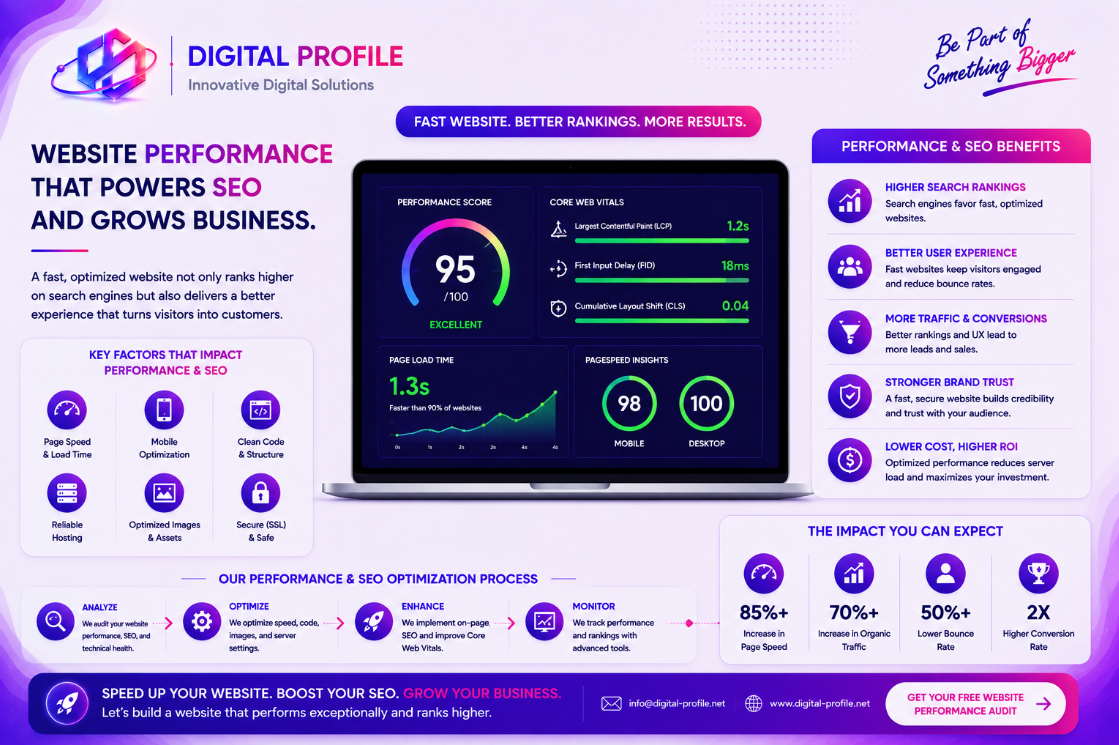
Website performance is an important part of creating a successful online presence. A website that loads quickly and responds smoothly can provide visitors with a better experience, while a slow or unstable website can create unnecessary friction. Performance also intersects with technical SEO, mobile usability, accessibility, and the overall quality of a website.
What Is Website Performance?
Website performance describes how quickly and reliably a website loads, responds to user interactions, and displays its content.
Performance can be influenced by many factors, including images, JavaScript, CSS, fonts, hosting, server response times, third-party services, network conditions, and the way a website is built.
Why Website Speed Matters for Businesses
Visitors expect modern websites to respond quickly. When a page takes too long to load, users may leave before they discover the products, services, content, or information the business provides.
Performance can therefore affect more than technical metrics. It can influence how visitors perceive the quality and reliability of a business.
- Improve the user experience
- Reduce unnecessary waiting
- Improve mobile browsing
- Make important content accessible sooner
- Support better engagement
- Reduce technical friction
How Performance Connects With SEO
Search engines consider many signals when evaluating web pages. Website performance is one part of the broader technical and user experience picture.
Performance should therefore be considered alongside useful content, relevant search intent, crawlability, mobile usability, structured data, internal linking, and other SEO fundamentals.
A fast website does not automatically guarantee higher search rankings. However, strong performance can contribute to a better overall page experience and support a healthier technical foundation.
Understanding Core Web Vitals
Core Web Vitals are a set of user-focused performance measurements used to evaluate important aspects of page experience.
They focus on areas such as loading performance, responsiveness, and visual stability.
- Largest Contentful Paint for loading performance
- Interaction to Next Paint for responsiveness
- Cumulative Layout Shift for visual stability
Optimize Images
Images are often among the largest resources loaded by a webpage. Large or unnecessarily high-resolution images can increase page weight and delay important content.
Businesses can improve image performance by selecting appropriate dimensions, using modern formats where supported, compressing images, and loading non-critical images only when they are needed.
- Resize images to appropriate display dimensions
- Compress large image files
- Use modern image formats when appropriate
- Avoid unnecessary decorative images
- Lazy-load below-the-fold images
- Provide useful alternative text for meaningful images
Reduce Unnecessary JavaScript and CSS
Modern websites can depend on many scripts and stylesheets. While these technologies provide powerful functionality, excessive client-side code can increase page weight and affect loading and responsiveness.
Businesses should review which resources are actually required and avoid loading unnecessary functionality on every page.
- Remove unused JavaScript
- Remove unnecessary CSS
- Minimize large client-side dependencies
- Load non-critical scripts appropriately
- Avoid excessive third-party scripts
Improve Server and Hosting Performance
Website performance is also influenced by what happens before the browser receives the page. Server response time, hosting infrastructure, database queries, network configuration, and caching can all affect how quickly content becomes available.
A well-optimized website can still feel slow if the underlying infrastructure introduces unnecessary delay.
Use Caching Effectively
Caching allows certain resources or generated content to be reused instead of being recreated or downloaded unnecessarily.
Depending on the website architecture, caching may be implemented at different layers, including the browser, CDN, server, application, or database level.
- Configure appropriate browser caching
- Cache static resources
- Use CDN caching where appropriate
- Reduce unnecessary server processing
- Define sensible cache expiration policies
Make Mobile Performance a Priority
Many visitors access websites using smartphones and mobile networks. Mobile devices can also have different processing capabilities and network conditions compared with desktop computers.
A website that performs well on a powerful desktop computer may still provide a poor experience on a mobile device.
- Use responsive layouts
- Optimize mobile images
- Avoid unnecessary animations
- Keep navigation efficient
- Test pages on real mobile devices
- Minimize resources that are not needed immediately
Be Careful With Third-Party Scripts
Analytics platforms, advertising systems, social media widgets, chat tools, tracking technologies, embedded videos, and other external services can add functionality to a website.
However, each external resource can introduce additional network requests and processing requirements.
Improve Technical SEO Alongside Performance
Performance is only one part of a strong technical SEO foundation. Businesses should also make sure that search engines can efficiently discover, understand, and access important pages.
- Use descriptive page titles
- Write useful meta descriptions
- Use a logical heading structure
- Maintain clean and descriptive URLs
- Use canonical URLs appropriately
- Maintain an accurate XML sitemap
- Configure robots.txt appropriately
- Use structured data where relevant
- Ensure important pages are crawlable
Measure Before and After Optimization
Performance improvements should be measured rather than based entirely on visual impressions.
A page may appear fast on one device or network while performing poorly under different conditions. Testing provides a more useful picture of how a website behaves.
- Establish a performance baseline
- Identify the largest bottlenecks
- Optimize one area at a time
- Test after each significant change
- Monitor performance over time
Website Performance Is Part of the User Experience
A technically optimized website should still be easy to navigate, readable, accessible, and useful.
Businesses should avoid optimizing one performance metric at the expense of the actual experience. A website needs to balance speed with functionality, visual design, content quality, accessibility, and business goals.
Building a Faster, More Search-Friendly Website
Website performance and SEO should be considered together when building a modern business website. Faster loading, responsive interactions, visual stability, mobile usability, and efficient technical architecture can all contribute to a better experience.
Businesses can begin by identifying the largest performance problems, optimizing images, reducing unnecessary resources, improving caching, reviewing hosting infrastructure, and minimizing unnecessary third-party scripts.
These improvements should be combined with fundamental SEO practices such as descriptive metadata, logical page structure, crawlable content, canonical URLs, structured data, and a properly maintained sitemap.
The goal is not simply to achieve a perfect performance score. The goal is to create a website that loads efficiently, works reliably, provides a strong user experience, and makes important content easy for both people and search engines to access.
Is Your Business Website Performing at Its Best?
Explore practical web development and digital solutions designed to improve website performance, technical foundations, user experience, and long-term scalability.
Discuss Your Project