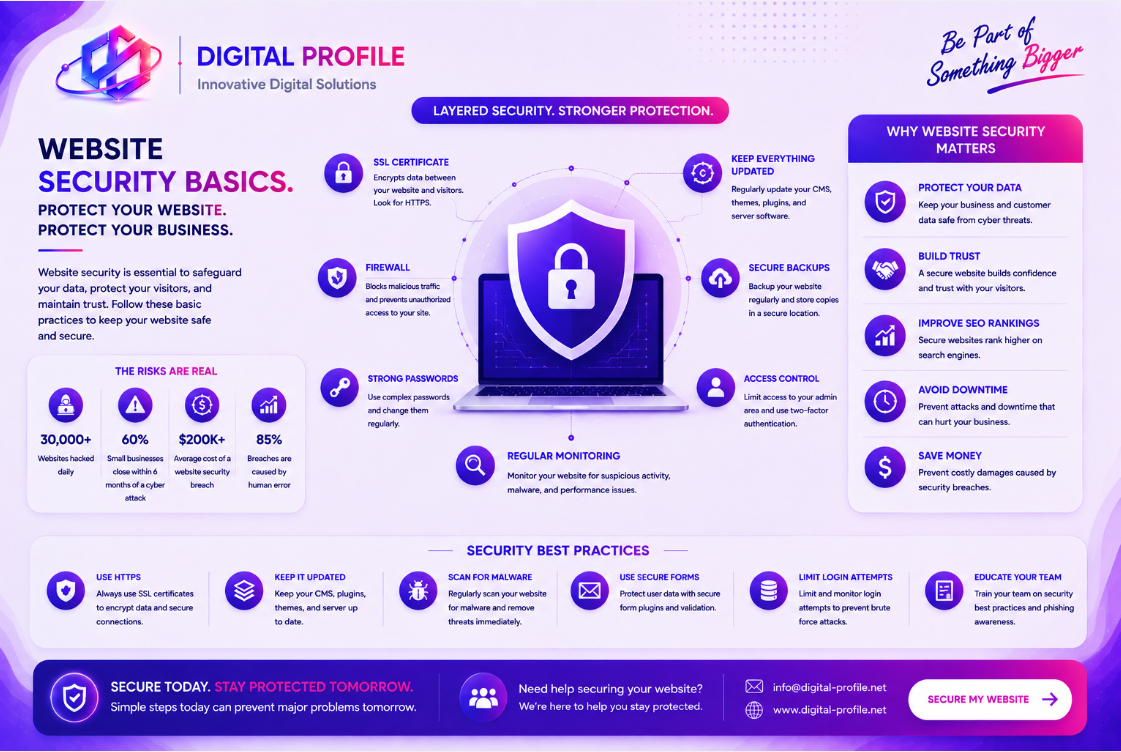
A business website is more than an online presence. It may handle customer inquiries, account information, payments, forms, documents, analytics, and connections to other business systems. Because of this, website security should be treated as an important part of maintaining a reliable digital operation.
Why Website Security Matters
Websites can become targets for automated attacks, unauthorized access attempts, malicious code, credential theft, and other security threats.
A compromised website can affect more than the website itself. It can potentially damage customer trust, interrupt business operations, expose information, or create additional risks for connected systems.
Use HTTPS and a Valid SSL/TLS Certificate
HTTPS protects communication between a visitor's browser and the website by encrypting data transmitted between them.
Businesses should ensure that their websites use HTTPS correctly and that their SSL/TLS certificates are valid and properly configured.
- Use HTTPS across the entire website
- Keep SSL/TLS certificates valid
- Redirect HTTP traffic to HTTPS where appropriate
- Avoid transmitting sensitive information over unsecured connections
Keep Website Software Updated
Outdated software can introduce unnecessary security risks. Websites often depend on content management systems, frameworks, plugins, libraries, server software, and third-party services.
Security updates may address vulnerabilities discovered after software was originally released. Keeping supported components updated can therefore be an important part of maintaining a secure environment.
- Update the website framework when appropriate
- Keep plugins and dependencies maintained
- Remove unused software components
- Monitor software security advisories
- Avoid unsupported or abandoned components
Protect Administrator Accounts
Administrator accounts can provide extensive control over a website and its underlying systems. Protecting these accounts should therefore be a high priority.
Businesses should use strong, unique passwords and, where supported, enable multi-factor authentication. Administrative privileges should also be limited to people who genuinely need them.
Control User Access
Not every employee or service needs access to every part of a website or business system. Excessive permissions can increase the potential impact of a compromised account.
A better approach is to provide users with only the access required for their responsibilities.
- Use role-based permissions where possible
- Limit administrative privileges
- Review user accounts regularly
- Remove access when employees or contractors no longer require it
- Avoid sharing administrator credentials
Maintain Reliable Backups
Security is not only about prevention. Businesses also need a recovery strategy in case a website becomes unavailable, corrupted, compromised, or accidentally modified.
Regular backups can help organizations restore important website content and data after an unexpected incident.
- Schedule regular backups
- Store backups separately from the primary system when practical
- Protect backup access
- Test restoration procedures
- Keep appropriate backup retention periods
Secure Forms and User Input
Business websites frequently accept information through contact forms, login pages, registration forms, search fields, file uploads, and other interactive features.
Applications should validate and properly handle user input instead of assuming that submitted information is safe.
- Validate user input
- Apply appropriate server-side validation
- Protect authentication forms
- Secure file upload functionality
- Avoid exposing unnecessary technical information
Monitor Website Activity
Security monitoring can help businesses identify unusual activity and respond to potential problems more quickly.
Depending on the website and infrastructure, monitoring may include login activity, server events, application errors, traffic patterns, configuration changes, and other relevant events.
- Monitor administrator logins
- Review unusual traffic patterns
- Track important configuration changes
- Monitor application and server errors
- Investigate unexpected account activity
Protect the Website Infrastructure
Website security extends beyond the visible pages. Hosting environments, databases, APIs, cloud services, DNS configuration, storage systems, and deployment pipelines can all form part of the application's security environment.
Businesses should understand which services their website depends on and ensure that those services are appropriately configured and maintained.
Follow the Principle of Least Privilege
Least privilege means giving users, applications, and services only the permissions they need to perform their intended responsibilities.
This approach can reduce the potential impact of a compromised account, application, or service because unnecessary permissions are not available.
- Limit database permissions
- Restrict server access
- Separate development and production environments
- Protect API credentials and secrets
- Review permissions periodically
Be Careful With Third-Party Services
Modern websites often rely on external services for analytics, payments, forms, authentication, advertising, fonts, APIs, content delivery, and other functionality.
Every external dependency should be evaluated carefully because it can introduce additional operational and security considerations.
- Use reputable third-party providers
- Keep integrations maintained
- Review the permissions requested by services
- Remove integrations that are no longer required
- Protect API keys and credentials
Create a Basic Website Security Checklist
Businesses can make website security easier to manage by creating a simple recurring security checklist.
- Confirm HTTPS is working correctly
- Review administrator accounts
- Update supported software and dependencies
- Verify backups are working
- Review user permissions
- Check important integrations
- Review unusual website activity
- Remove unused accounts and services
- Review security settings periodically
Building a More Secure Business Website
Website security does not have to begin with complex cybersecurity systems. Strong fundamentals such as HTTPS, secure authentication, software maintenance, access control, reliable backups, input validation, monitoring, and careful management of third-party services can provide an important foundation.
As a business website becomes more complex, its security requirements may also increase. Websites connected to databases, APIs, payment systems, customer accounts, cloud services, or internal business applications should be evaluated as part of a broader technology environment.
The goal is not to assume that every website can be made completely risk-free. The goal is to identify potential risks, reduce unnecessary exposure, protect important information, and establish reliable ways to detect and recover from problems.
Need a More Secure Business Website?
Explore practical web development and digital solutions designed to help businesses build reliable, maintainable, and security-conscious online systems.
Discuss Your Project